Help understanding sonar. Some background in comments.
Help understanding sonar. Some background in comments.
Posted by knaupt
6 Comments
knaupt on
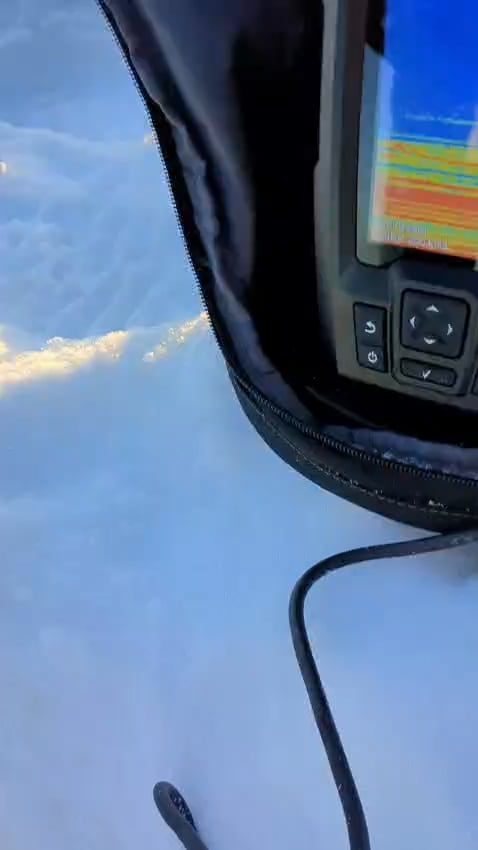
Ice-fishing for perch. This was around 10 meters of depth. I’m a beginner to using sonar.
You see my jig around 9 meters.
* Down at the bottom is where you’d expect perch. What is all the motion there? Is it just noise or potentially fish?
* After a while I lower my jig and there’s something hovering above it. Is that just noise? What could it be that the sonar is picking up?
* Also, you see a straight line being rendered. By the end of the video it’s at 8m. I get a lot of that when I use the sonar. Sometimes like 10 lines moving in a linear motion and making that diagonal pattern. Is it debris in the water? That wouldn’t keep moving indefinitely like this does, though.
Any input to understand what I’m seeing is highly valuable 🙂
StanfordTheGreat on
Your sensitivity is way way way too high. Also try playing with noise reject and tvg in that shallow of water. Could be a weed at ten, it isn’t moving.
The lines rising 8-7 look like small fish, or bait that you convinced to move a little
Return on 10 is either a rock or a stationary fish.
Also try a wider cone (77) in shallow, or split screen, usually helps me flesh out what I’m seeing’ I have the same unit
Road_work_1012 on
It’s all fish between 8-10. Move your jig above the targets and get them to chase you jig higher. Usually if you can get them to rise they will bite.
CopyWeak on
You think you’re frustrated… Color blindness is not my friend 😵💫
1) Adjust Zoom to only see the last 3 meters. I only use auto if I’m hole hopping and looking for suspended fish.
2) Adjust Gain manually so your lure is just barely visible. This will reduce noise and make the fish images cleaner. You’ll need to do this every time as the depth and direction of the transducer will effect the image.
3) Being you’re at 10m, I’d leave your 200 khz as-is. The higher the khz the smaller the cone, but you are plenty deep. Less than 3m depth then change it to 77khz.

6 Comments
Ice-fishing for perch. This was around 10 meters of depth. I’m a beginner to using sonar.
You see my jig around 9 meters.
* Down at the bottom is where you’d expect perch. What is all the motion there? Is it just noise or potentially fish?
* After a while I lower my jig and there’s something hovering above it. Is that just noise? What could it be that the sonar is picking up?
* Also, you see a straight line being rendered. By the end of the video it’s at 8m. I get a lot of that when I use the sonar. Sometimes like 10 lines moving in a linear motion and making that diagonal pattern. Is it debris in the water? That wouldn’t keep moving indefinitely like this does, though.
Any input to understand what I’m seeing is highly valuable 🙂
Your sensitivity is way way way too high. Also try playing with noise reject and tvg in that shallow of water. Could be a weed at ten, it isn’t moving.
The lines rising 8-7 look like small fish, or bait that you convinced to move a little
Return on 10 is either a rock or a stationary fish.
Also try a wider cone (77) in shallow, or split screen, usually helps me flesh out what I’m seeing’ I have the same unit
It’s all fish between 8-10. Move your jig above the targets and get them to chase you jig higher. Usually if you can get them to rise they will bite.
You think you’re frustrated… Color blindness is not my friend 😵💫
https://www.reddit.com/r/IceFishing/s/e8j3zEHVbX
1) Adjust Zoom to only see the last 3 meters. I only use auto if I’m hole hopping and looking for suspended fish.
2) Adjust Gain manually so your lure is just barely visible. This will reduce noise and make the fish images cleaner. You’ll need to do this every time as the depth and direction of the transducer will effect the image.
3) Being you’re at 10m, I’d leave your 200 khz as-is. The higher the khz the smaller the cone, but you are plenty deep. Less than 3m depth then change it to 77khz.