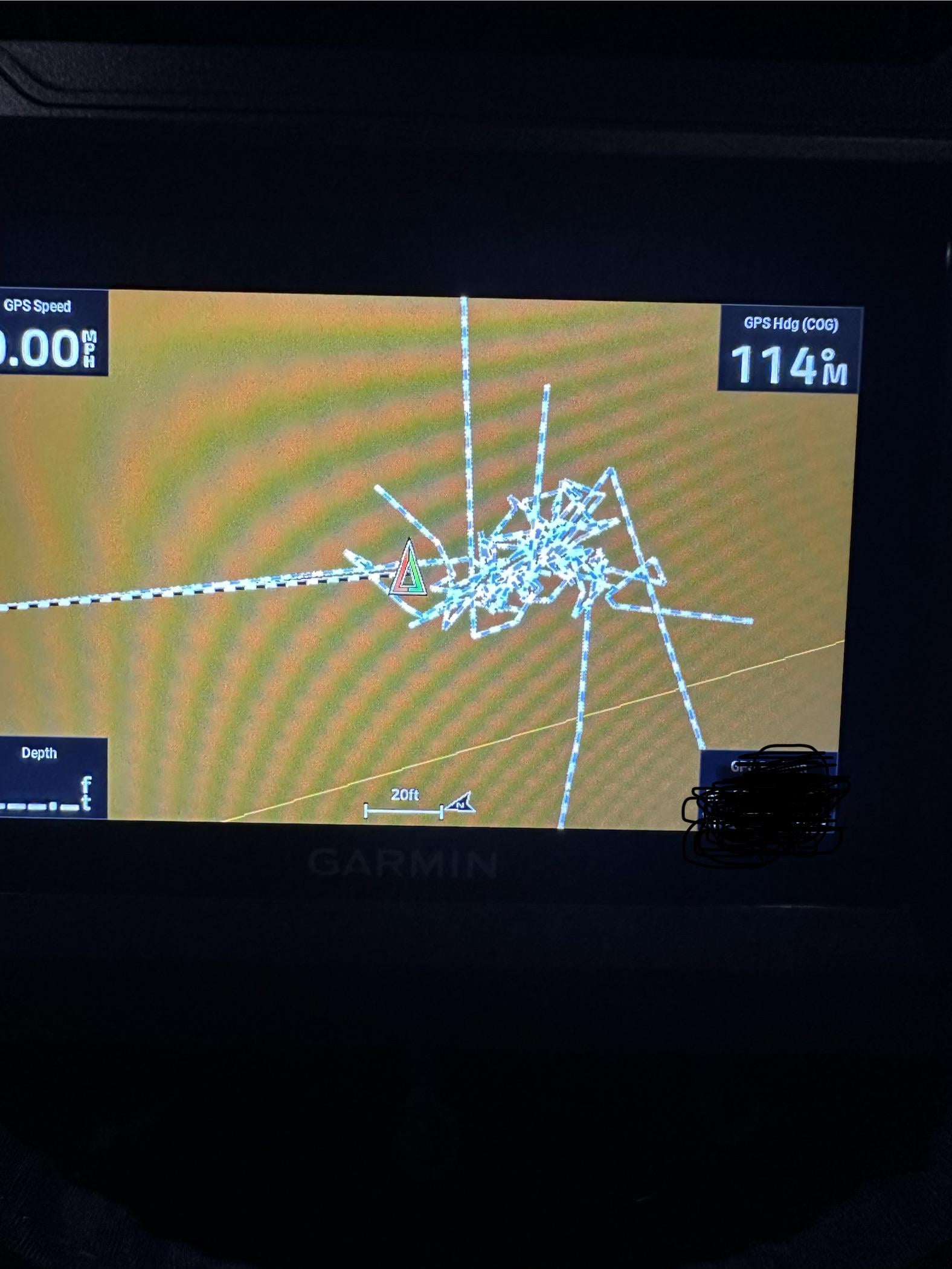
Got this new garmin for ice fishing and I’ve been messing with it and setting it up and it’s it’s tracking on maps and putting all those lines all over. Anyone know how to get rid of them and stop it from doing it?
Posted by G_Webby94
1 Comment
bobbybignono on
Go navigation that u see the lines, there the dots and say stop record route or something.
Im not sure how they call it but its in the map section and than the 3 dots (u have the layout 3 dots, when that moved down again u see the 3 dots for settings
Hope it helps, doing it from my head.
Edit:
Google says:
To stop an active navigation route or track recording on an ECHOMAP Ultra device:
Stop an active navigation route:
Go to the View Map screen.
Select the menu button (three horizontal bars) or wrench icon in the lower-right corner.
Select the Stop button.

1 Comment
Go navigation that u see the lines, there the dots and say stop record route or something.
Im not sure how they call it but its in the map section and than the 3 dots (u have the layout 3 dots, when that moved down again u see the 3 dots for settings
Hope it helps, doing it from my head.
Edit:
Google says:
To stop an active navigation route or track recording on an ECHOMAP Ultra device:
Stop an active navigation route:
Go to the View Map screen.
Select the menu button (three horizontal bars) or wrench icon in the lower-right corner.
Select the Stop button.