
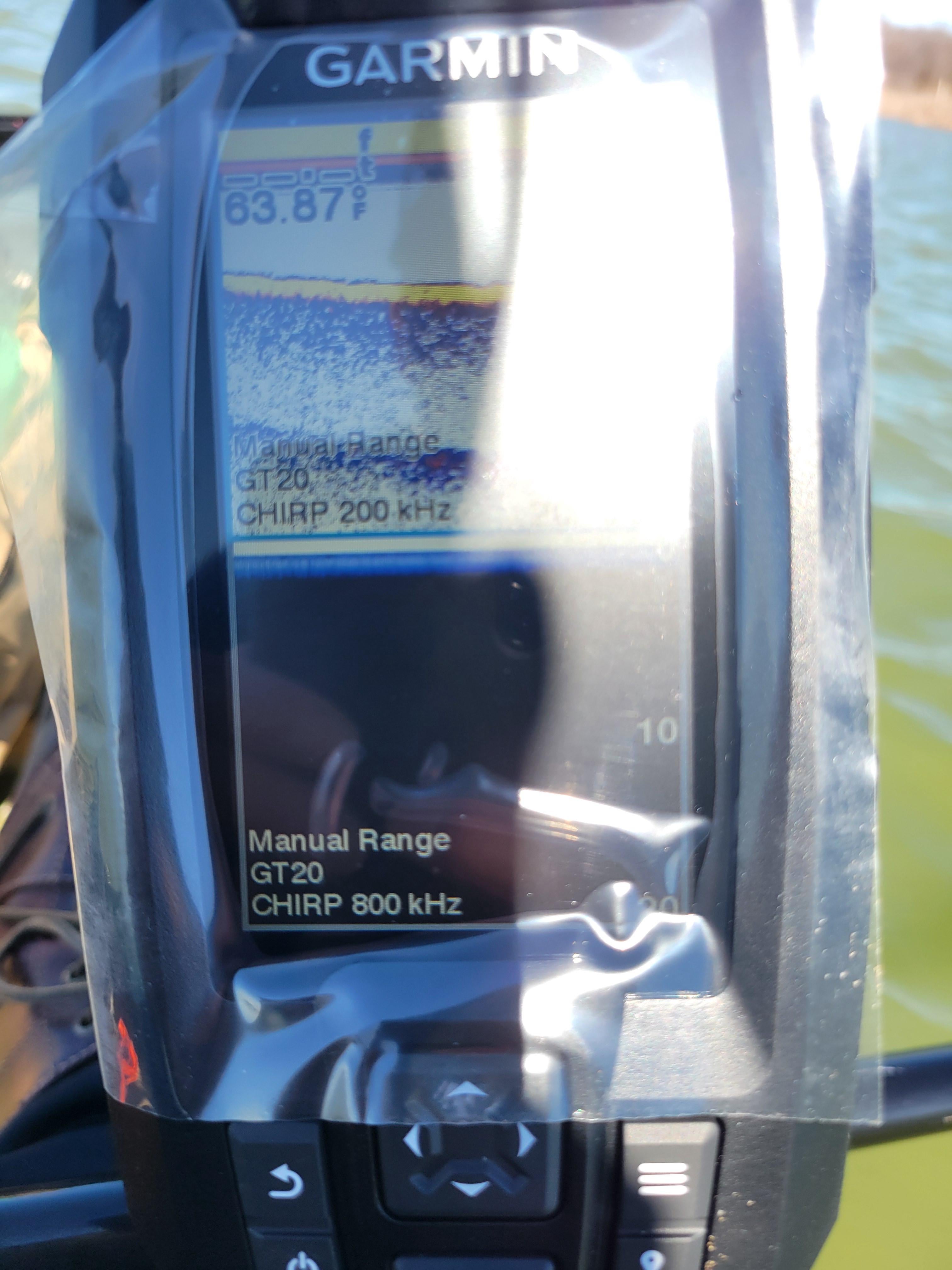
I don't know if anyone can give me some tips but the first trip was a complete let down. I fish off my kayak on lakes, installed my transducer in the hull on duct seal (mistake?), took it out on a lake for first time. Some of settings: chirp 200kwh for traditional, chirp 800kwh for clearvue. Auto zoom, auto depth, auto gain. A-scope on. Transducer installed inside hull at stern/back on duct seal. Few problems…
-
Depth seems off. It says 20ft, my anchor is 25 ft. When I let the anchor down, it doesn't touch the bottom.
-
Something seems off with the Clearvue. You can see the surface on top, but screen seems like it's zoomed out to the point I can't see anything. Setting is set on auto for depth.
-
When not moving or on very shallow water, screen gets weird, like I am seeing 3 underwater surfaces. Is that normal?
-
I don't care about all this youtube videos explaining how it works, the fish looks like a crescent moon whatever. I've watched tons of these videos and none of them explain ACTUALLY HOW TO USE IT. If I pass by a fish, or brushpile or underwater structure, where do I cast it? 2 ft behind me? 5 ft behind me? If I see it on the screen, about where is it (I don't move very fast on kayak)? Even looking at depth, if I notice a drop off, now I gotta find where is the drop off. Where is it in relation to my kayak?
Thank you everyone, I was really let down because I thought it would be a game changer… but I did nothing but look at screen for 3 hours and still felt like casting blindly, not needing to mention getting skunked. How does this device help? If all I see are histories, and bass or baitfish already swam away, how does this help me?
Posted by basketrobberson
4 Comments
I’d take it out of the haul and put it on a transducer arm, or the bottom of the haul if you can. That is definitely not what you should be seeing. I’m assuming it’s interference from the haul. That said, don’t expect any kind of readings in extremely shallow water. The fish finder is basically scanning a one foot radius under you when you’re shallow. The best way you can use this particular model is to determine water temp, depth, bottom composition, and find structure. If you run around trying to find fish and casting at them you’ll be disappointed.
The first couple pics look totally normal. You’re seeing surface noise at the top of the screen (completely normal, can extend a few feet into the water column if it’s a choppy day), the lake bottom is at ~8 feet and the thick yellow band shows it’s a hard bottom. The patchy blue band you see at ~18 feet is essentially an “echo” of the bottom – it’s not a real thing (though the strength of the echo can provide information about the bottom hardness). The A-scope is occupying a lot of real estate on your 4″ screen so I’d recommend turning that off unless you have a specific reason you want it on.
The other pictures where it looks jumbled up is a result of the auto-range glitching out because you’re in such shallow water it can’t figure out what range it should be displaying. It’s bouncing back and forth between a couple ranges and what you see is the result. Though it can be annoying, this isn’t really abnormal behavior. You aren’t going to get any information from 2D sonar in 2ft of water anyway (because the sonar cone will be so narrow), so you can just ignore it or put your screen in standby if you’re going to be fishing that shallow.
Edit: I’d also recommend moving the transducer so it’s further forward in the kayak – depending on how far towards the stern you have it, it’s possible that it might be lifting out of the water if conditions are choppy – this will also result in a choppy, jumbled reading on your screen.. If you can mount it inside the hull closer to the center of the boat you can be sure it’ll be underwater at all times. You also want to make sure it’s installed level so your depth readings will be correct.
Edit 2: To your 4th point about how to know where stuff is in relation to your boat – With 2D sonar like this the best you can do is know that whatever is at the very right edge of the screen (or in the A-scope if you have it turned on) is currently in your sonar beam. Remember that sonar is emitted in a cone shape, and that cone gets wider as the water gets deeper (it differs depending on model but a general rule of thumb is the width at the base of the cone is ~1/3 the water depth). So if you’re in shallow water, less than 10ft or so, and see something on the right edge of your screen then that thing is pretty much directly beneath your transducer at this exact moment because the cone is so narrow. If you’re in deeper water, say 60 feet for example, then your sonar cone is covering a ~20ft swath of the bottom and whatever you’re seeing could be anywhere within that cone. Keep in mind that the right edge of your screen is showing you what’s beneath the transducer right now, everything to the left is history. But also keep in mind that if you are not moving, then whatever was under your transducer 5, 10, 15 seconds ago is still going to be under your transducer unless it’s a fish that swam away – so if you’re parked on top of something and truly not drifting at all (which rarely happens in a kayak) then you’ll see horizontal streaks across your screen for as long as any objects remain within your sonar cone.
Item #3: those are “multiples” as your signal bounces or echoes between xducer and bottom, very common where hard bottoms. Xducer belongs in deepest part of yak.
I had similar problems with my in-hull mounted transducer. I mounted it in the V of the hull and my screen wouldn’t work all the time and it would randomly jump from 8ft to over 100 and back to 6ft all in about 20yds of paddling… I eventually got tired of it and just moved it over so it was flat mounted on the flat section of the hull to see if it helped; it eliminated all of the problems I was having… I don’t know if that will help you at all, but my old lady uses the same setup as me, and uses a transducer arm, and we get the same results now.